Why do so many businesses make the same Google Ads mistakes?
Every Google Ads account I've inherited has some of the same mistakes. Campaign overlap. Doubled-up conversions. Find out how to fix common issues here.

 Russell Welch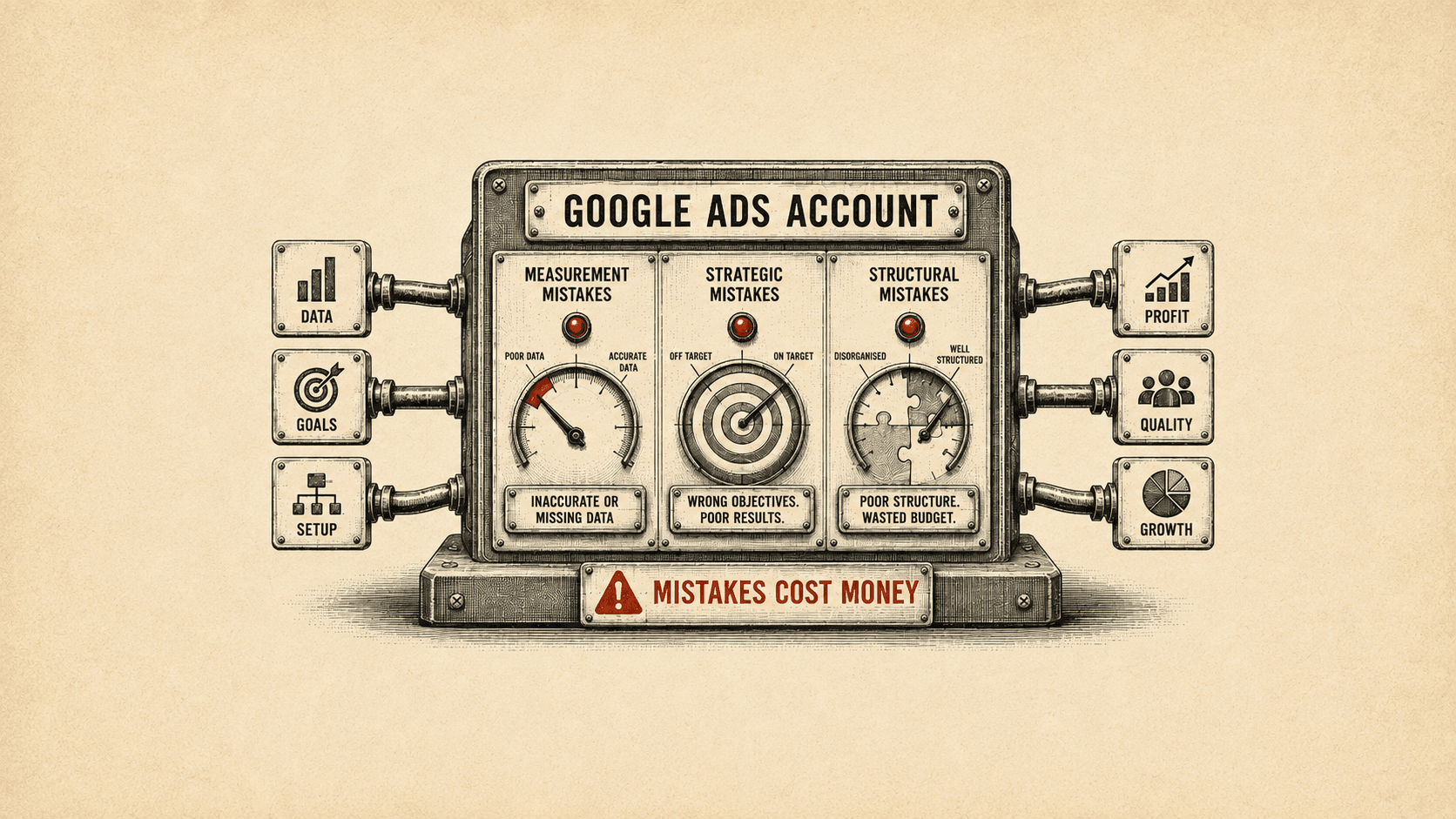
I’ve audited and managed dozens, if not hundreds, of Google Ads accounts. It’s not an exaggeration to say that all of those that came to me from elsewhere were making mistakes. And the vast majority were making the same mistakes.
There isn’t one perfect way of doing things with Google Ads, and different people will have different opinions, but some setups are objectively better than others. Unfortunately, many accounts have fundamental issues with measurement, strategy, and structure.
In this article, I define what a mistake is in terms of Google Ads, give some reasons those mistakes are made, and outline some common issues to watch out for.
What is a mistake in Google Ads?
A mistake in Google Ads is something that's been set up in a way that doesn’t serve the objectives of your organisation.
That could be as simple as the account spending more money than it generates. However, an account that appears to be performing well can still have issues hidden beneath the surface.
An example: branded search terms everywhere
I recently started working with a hotel. They had a brand campaign; but every other campaign in the account was showing ads for their brand name, too. That was unintentional. It meant none of the campaigns were targeting the people they’d intended, and while the results looked good, they were skewed by conversions from people who already knew about the brand.
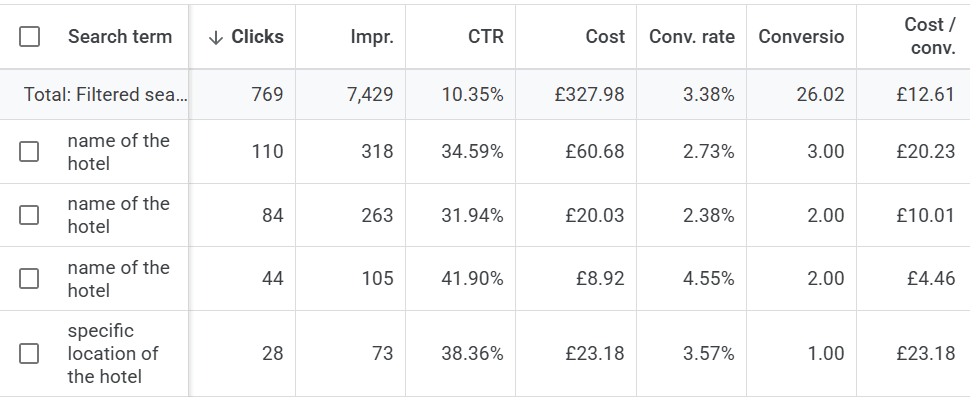
Overall, the client wanted to attract new customers, and the account wasn't achieving that.
Types of mistake
Google Ads mistakes fall roughly into three categories:
- Measurement mistakes: Google Ads goals (also known as conversions) have inaccurate or missing data.
- Strategic mistakes: the account is doing what you want it to do, but what you want it to do is in itself a mistake. For example, you’ve set some objectives, but those objectives are something vague like “get more leads”, which ignores the fact that those leads could be of poor quality.
- Structural mistakes: campaigns, ad groups, ads, keywords, assets and other features are structured poorly.
We’ll look at some specific examples of each of these below.
Why do people make mistakes with Google Ads?
The main reasons so many people make mistakes with Google Ads are:
- Lack of time
- Lack of experience
- Lack of nuance
I’m not just talking about the owner of a small business trying their best to run some ads on their own behalf. These issues can also affect accounts run by in-house specialists, freelancers, and agencies, too. Even Google’s own systems and help pages suffer from a lack of nuance at times.
Lack of time
Not having enough time to look at and understand the results of your Google Ads, or rushing to set something up that isn’t fit for purpose, is obviously a problem.
A 2024 survey from Constant Contact showed that 56% of Small and Medium Enterprises (SMEs) have an hour or less per day for marketing activities. And more than half regularly postponed marketing tasks in favour of other activities.
However, a lack of time can also be an issue when an agency retainer isn’t large enough to cover the work that needs to be done.
On the other hand, I’ve seen accounts where a lot of “busy work” goes on that just isn’t effective. Daily changes are often unnecessary as you need to wait between tweaks to see what the results are.
Lack of time is an issue, but spending that time wisely is important, too.
Lack of experience
If you’re a business owner setting up and running Google Ads, you’ve probably never seen another account. You likely don’t know what “good” looks like or how to measure success. And you might not have the technical skills to set up robust conversion tracking.
That isn’t your fault; it’s just reality.
Even an in-house marketer or freelancer may have only seen a handful of accounts over the course of their career.
Someone who’s worked agency-side for a number of years, on the other hand, will likely have much greater breadth and depth of experience. I’ve personally audited and managed a huge number of accounts across various industries and countries, business-to-business (B2B) and business-to-consumer (B2C), lead generation and ecommerce.
If you’ve seen situations or tested features before, you know what to expect. And you can avoid common mistakes because you know what to look for.
Without experience, mistakes are inevitable. That doesn’t mean Google Ads can’t work for you, but it does mean your campaigns are probably not as efficient as they could be.
Lack of nuance
By lack of nuance, I mean that your paid media manager may not truly understand what your business is trying to achieve. And Google’s systems don’t have that understanding either; they just have the data they’re given. If the business objectives aren’t properly understood, how can you hope to have an account that truly supports them?
Google’s bidding algorithms are clever, but if you set a campaign to Maximise Conversions, the algorithm will simply try to get the most conversions for your money. If those conversions are leads and not ecommerce sales, they’re likely all treated the same in terms of value. But in reality, one lead isn’t necessarily equal to another.
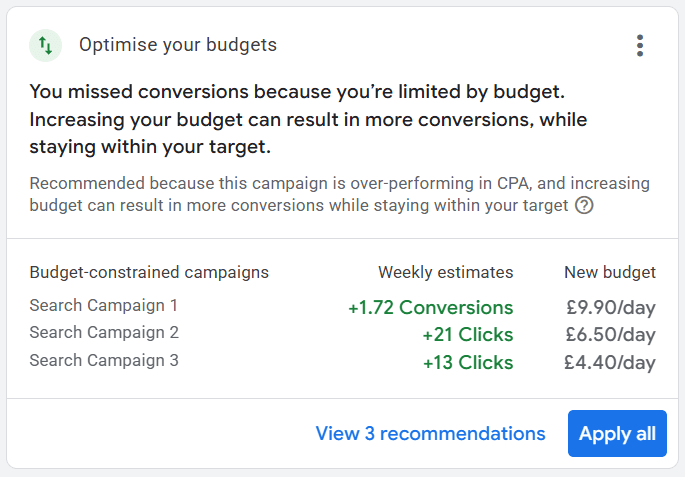
Be incredibly careful when considering advice from Google Reps or Google Ad’s Recommendations Tab. They might help you to “get more conversions”, but whether those conversions are profitable or helpful is another matter entirely.
For example, some of the recommendations explicitly involve increasing budgets. If you’re sure the campaigns are meeting your goals and provide good value for money, increasing budgets can be a good move. But that won’t always be the case.
To give a real-life example: I often see accounts that are optimised for “calls from ads”, when those phone calls are meant for a different business entirely.
As “calls from ads” are based on a phone number that shows on the ad itself, users often dial the number without realising it isn’t the company they wanted. This is especially true if your brand name sounds a bit like a competitor’s, and your ads are showing for the competitor’s name.
Google Ads, seeing those calls as genuine conversions, then optimises the account to drive even more of them. That means frustration for whoever answers your phones, plus money wasted.
Turn off auto-applied recommendations and assets, so you’re in full control of what’s going on in your account.

Common mistakes and how to fix them
Let’s look at some of the most common Google Ads mistakes to look out for, and what to do to fix them.
A couple of caveats though: Google Ads management is as much an art as it is a science. I consider these things to be mistakes, but some are more clear-cut than others. No two pay-per-click (PPC) professionals will agree 100% of the time, and that’s OK.
This isn’t an exhaustive list either.
You'll need to make your own decisions on what’s best for your business.
Campaigns don’t function as intended
The issue: Despite choosing your keywords carefully, the search terms triggering the ads are quite different from what you intended. They might be your brand name, competitor brand names, terms intended for a different campaign (causing overlap), or completely irrelevant.
The cause: Broad-match keywords and AI Max are often the reason for this. But it can also happen when phrase and exact-match keywords have unhelpful “close variants”. Back in the day, “close variants” were things like misspellings and plural/singular versions. Nowadays, the scope is much wider. That can be a problem.
The fix:
- Stick to exact and phrase-match keywords as a general rule.
- Experiment with broad match if you need more volume, but keep it in a separate campaign and use negative keywords to stop that campaign overlapping with others.
- Right now, I don’t recommend AI Max at all, although that will soon be an “auto-upgrade” for Dynamic Search Ads. Again, if you experiment with it, keep it separate, and use negative keywords for control.
- Ensure you review the Search Terms report regularly. Add negative keywords as required.
Double counting conversions
The issue: Your conversion tracking setup is counting the same goal twice and the system is reporting twice the number of conversions and/or revenue than you’re actually getting. That means you could easily be making a loss on the ads when you think you’re making a profit.
The cause: The most common cause of this is having a native Google Ads purchase (or other conversion) and importing the same goal from Google Analytics (GA4). If both of these are set as Primary, and Purchase is an account-default goal, you’re in trouble.
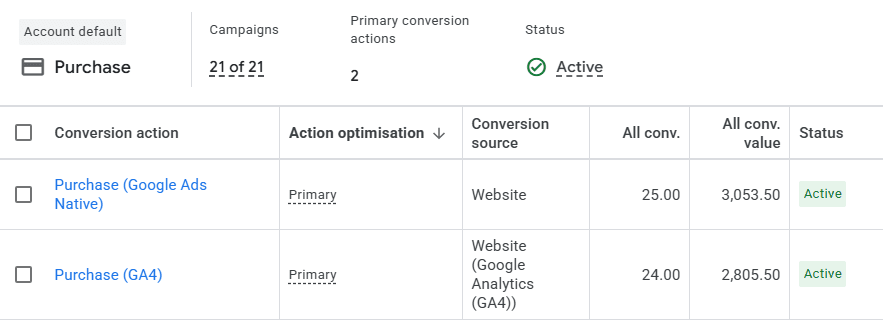
The fix: Keep the native Google Ads goal as Primary, and make any other goals reporting the same metric Secondary. That means the extra ones won’t be used for reporting and optimisation.
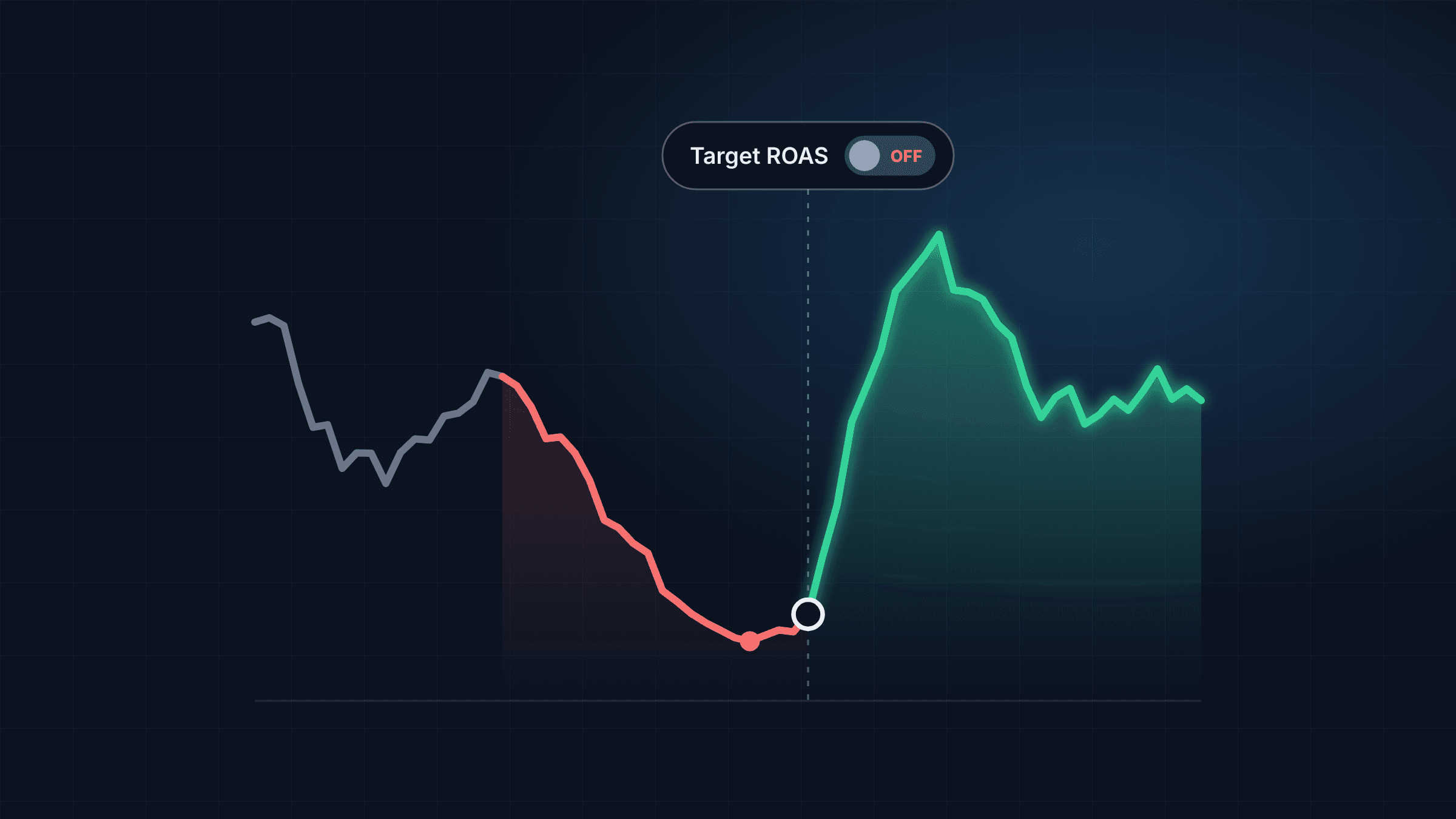
Arbitrary ROAS targets
The issue: You have a Return on Ad Spend objective in mind, but it isn’t based on anything other than gut feel. This means you don’t really know if the ads are making a profit.
The cause: Often just a lack of time, care, or understanding. Waving a finger in the air and saying “yes, those results look OK” is surprisingly common.
The fix: Take your gross profit margin (either for the whole business or split down by brand or product type) and work out what ROAS you need your account (or campaign) to achieve to break even. If your results are worse than that, you’re losing money.
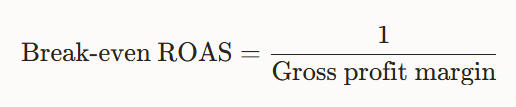
You can do this easily with Generative AI if you don’t fancy doing the maths. But to do it manually, divide 1 by your gross profit margin (expressed as a decimal).
By gross profit margin, I mean the proportion of the sale that’s profit after the wholesale or manufacturing cost of the product is factored in.
For example, if your profit margin is 20%, divide 1 by 0.2. That gives a break-even ROAS of 500%.
It’s a good idea to aim higher than the break-even number. Breaking even is a loss in real terms as this doesn’t account for overheads beyond the cost of the item and your ad spend.
I audited the account of a company recently who were spending over £1 million a month on their Google Ads. Fortunately, they were making a profit, meaning their assumptions about the account were correct. But without checking, we wouldn’t have known for sure.
Negative keywords that are too specific
The issue: You’ve added negative keywords mainly to specific campaigns or ad groups, and [they all look a bit like this]. This is a problem because you’ll need to add more exact-match negatives to have an impact than if you added a single problematic word as a broad-match negative. Long exact matches are inefficient and messy.
The cause: In the Google Ads Search Terms report, you can select search terms and click “Add as negative keyword” to add them as exact match. That’s exactly what you do not want to do!
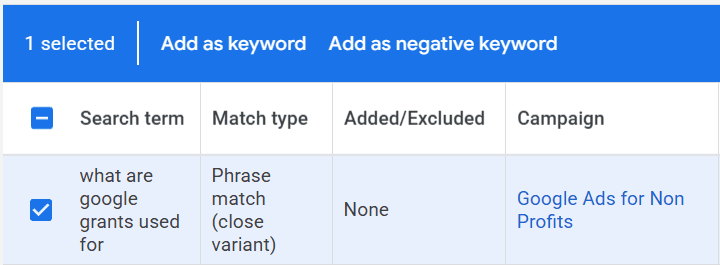
The fix: Go through the Search Terms report and, instead of clicking the “Add a negative keyword” button, write down any individual words or short phrases that are irrelevant. Any simple text editor will do.
Let’s say the search term is “what are google grants used for”. I might feel that's too informational and that it isn’t converting well.
Instead of adding [what are google grants used for] as a negative keyword, I can add “what” (with no punctuation). That will stop my ads showing for all searches that contain the word “what” in future.
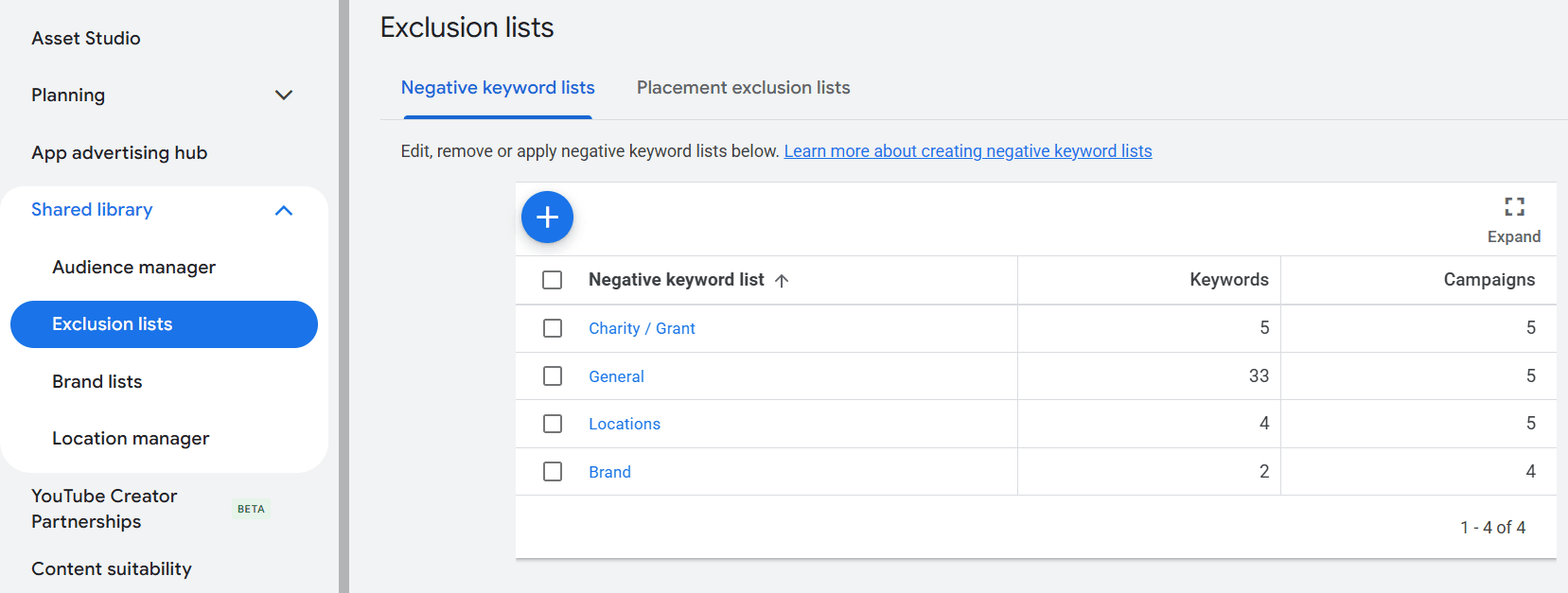
Once you have your list of negative keywords, copy/paste them into one or more Exclusion Lists in the Shared Library. Remember to apply the list to the relevant campaigns!
What next?
If you have time, have a good look around your Google Ads account. Check the conversion goals. Check the campaign structure. Check the keywords. Check the search terms.
Is everything serving your organisation’s objectives?
If not, if might be time for a refresh. Perhaps, even, to call in professional help. Once you know you've made mistakes, at least, you're in a better place to fix them.
Good luck!