When Call Assets Go Rogue
A client had 98 call conversions in two months, but most of them weren't relevant. Find out how I fixed it without losing call volume.

 Russell Welch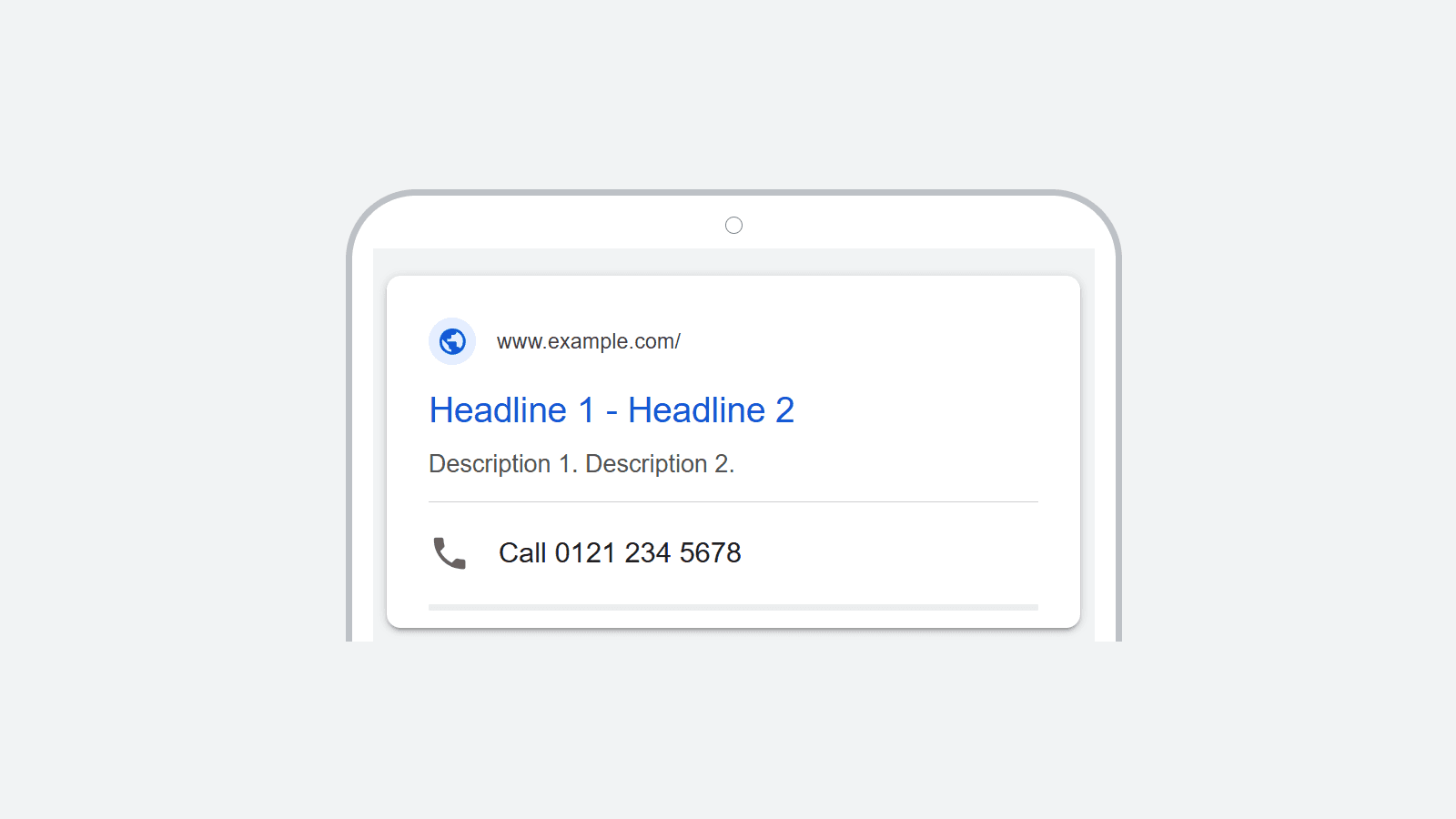
Call assets allow you to show a phone number alongside your Google Ads, so users can call you before they even get to your website. Great, right?
Well… Although this can be a useful feature, it doesn’t always work as you’d expect. I’ve seen a number of cases where users have phoned the number displayed, despite it having nothing to do with what they were searching for.
That’s bad for the efficiency of your ads. But it also means your team have to spend time answering to phone to people who didn’t mean to call you in the first place.
Fortunately, this is easy to fix using negative keywords, changes to conversion setup, and more precise keyword match types. For example, with a client earlier this year, I was able to increase the overall number of calls generated by Google Ads and also improve their quality dramatically.
What are call assets?
Call assets (previously known as call extensions) allow a phone number to show alongside your text ads on Google.
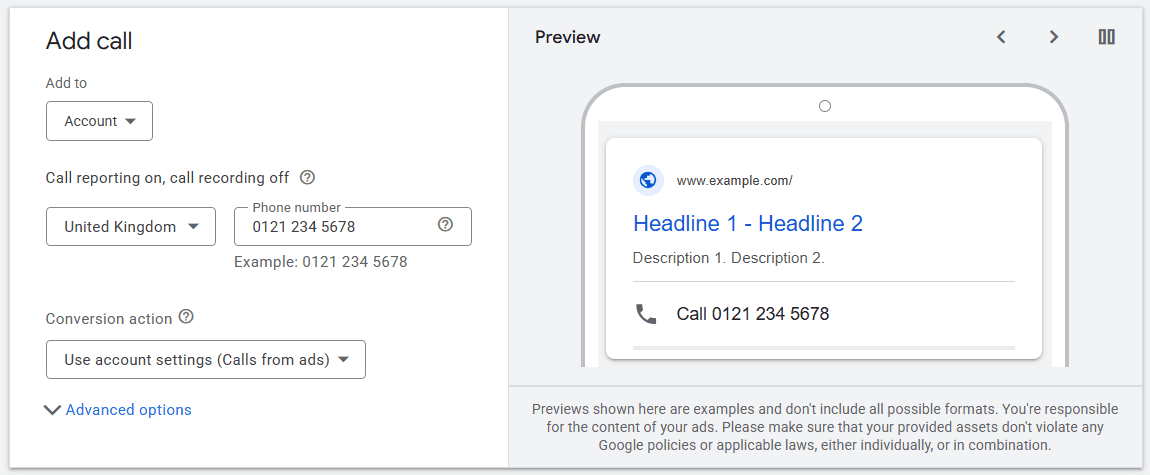
On mobile, users can simply click the number to call the business. On desktop, it displays a QR code that can be scanned to do the same thing.
This means that the user can dial your number from the Search Engine Results Page (SERP), without ever visiting your website.
Take a look at Google’s call assets help page for more information.
What are “calls from ads”?
When you set up call assets, you can have Google Ads enable “Call Reporting”. This creates a “calls from ads” conversion when you start getting calls from call assets, location assets or call-only ads.
This conversion counts the number of calls received from these assets/ads, provided they’re longer than the length of time you specify (usually 60 seconds).
Why do “calls from ads” go wrong?
If “calls from ads” are set up as a primary conversion, and they’re an account default or applied to your individual campaigns, the system will optimise to get you more of those calls.
The problem here is that, for all the machine learning / AI embedded into Google Ads, it only knows what it knows. Unless you feed it offline conversion data (which is complicated and often impractical) it has no idea what the quality of those calls was like.
If the user doesn’t click through to your website and doesn’t read the ad carefully enough, they might assume the phone number they see near the top of the SERP is the one they’re looking for, and dial it.
And the resulting confusion on the call can easily last 60 seconds, meaning a conversion is recorded.
Once you get a few of these low-quality calls it can easily spiral, with the algorithm driving more and more. And wasting your budget in the process.

A case study
In the first two months of 2026, one of my hospitality clients had 98 “calls from ads” conversions. They knew something was wrong, because they were getting calls that weren’t meant for them. But they didn’t know why.
Diagnosing the problem
When I came on board to help, one of the first things I did was look at the Search Terms Report. Lo and behold, their ads were showing for things they shouldn’t have been:
- Establishments with similar-but-different names
- Generic phrases including worlds like “call” or “phone”
- Rival brands
All of these search terms had “calls from ads” conversions attached to them. But it was obvious that the quality of those calls was going to be low.
This wasn’t deliberate, of course. It was a result of Performance Max campaigns, broad keywords, and Google optimising for what it thought of as “success”.
The solution
Dealing with this was pretty simple.
First, I switched the “calls from ads” conversion from primary to secondary. That meant Google’s algorithms would no longer prioritise the searches linked to them.
Second, I added call tracking to the website itself (Google describes it as “calls to a phone number on your website”). This actually uses some code to change the number shown on your website to one of Google’s. When people dial it, they get through to you as normal, but Google records it as a conversion.
As those people have actually seen your website, they’re much less likely to call if it isn’t what they were looking for.
Finally, I restructured the account, tightened up the keyword match types being used, and made sure there were plenty of negative keywords to stop ads showing for irrelevant terms.
The result
Although the conversions switched from “calls from ads” to “calls via website” pretty much immediately, the overall number of calls actually went up slightly over time, not down.
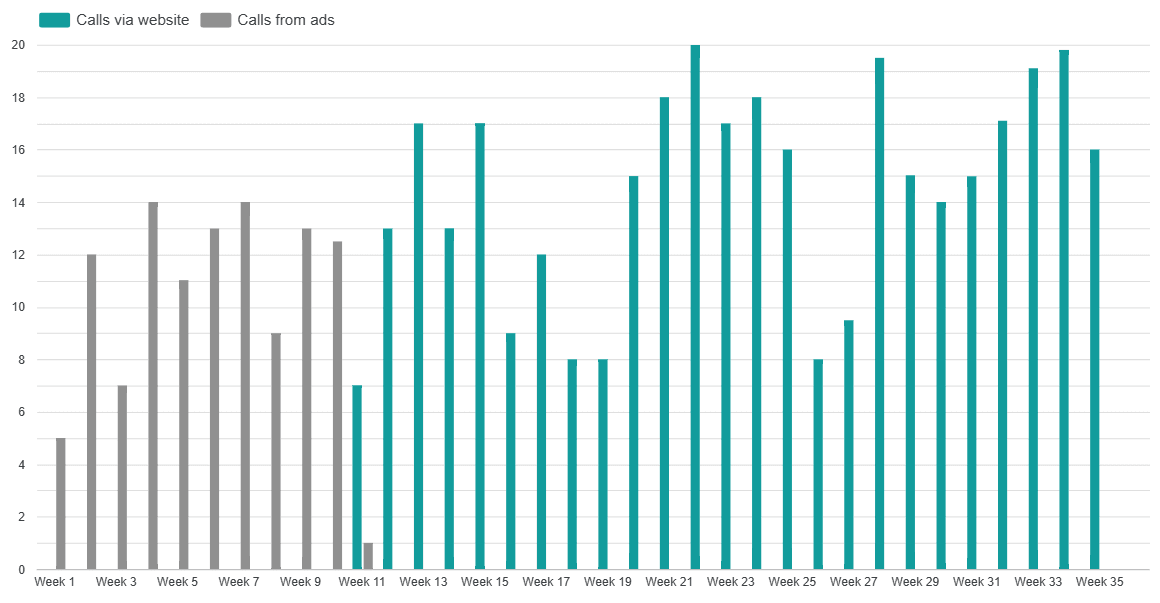
Most importantly though, the client noticed an immediate improvement in the quality of the phone calls coming in.
Why the human element is still important
The algorithms and AI systems in Google Ads are very useful and very clever, but they will never have a full and human understanding of your business or what you’re trying to achieve. Good and bad enquiries have the same value in Google’s eyes.
That’s why it’s so important to check the Search Query Reports and have a level of strategic oversight when running your campaigns. If something feels off, it probably is!