I Played Along with a Phishing Scam (So You Don't Have To)
My PPC agency was recently targeted by a phishing scam where they used a bait and switch to change a real Google Calendar link for a fake one.

 Russell Welch
I recently received an email from someone claiming to be a potential Google Ads client. While it certainly wasn’t the first time, this particular one seemed more sophisticated. After confirming for certain it was a scam, I decided to play along and get the scammer to reveal their tactics.
Here’s what happened.
Some context
Internet security is getting better in a lot of ways. Password managers, authentication apps, passcodes… Those all make it harder for hackers to brute force entry to an account.
Sadly though, social engineering techniques are still effective. If a scammer can convince the account holder to hand over their details or log in on their behalf, it doesn’t matter what safeguards are in place.
That’s effectively what phishing is: posing as someone benign to try to convince the account holder to hand over login details or other sensitive information.
Having a bad actor gain access to your agency-level Google Ads account (My Client Centre or MCC) would be particularly bad. It would give them access to all the sub accounts as well.
I’ve only seen hackers gain access to an advertising account once in my career (the client had a weak password and no two-factor authentication) but it was a stressful time trying to get that fraudulent ad spend refunded!
You definitely want to keep your accounts secure.
The “potential client” scam
The phishing attempt I wanted to talk about follows a pattern I’ve seen a number of times. It starts off as an email (in this case sent via my agency website’s contact form).
A generic email
The email says that a company called Skarpline is looking for an agency to help them with their Google Ads.
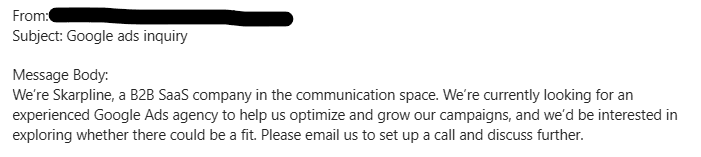
I was immediately suspicious. I only work with value-based organisations. This email was very generic. There was no indication why they wanted to work with me. No personalisation at all, in fact.
That’s probably the biggest red flag to watch out for: generic, unpersonalised emails.
The website… works?!
At this point, I checked the domain name of the email address to see if there was a website there. Every other time I’ve received a phishing attempt like this, the domain in the email address has *redirected *to the website of a legit business.
That redirect usually means the email isn’t coming from the actual company.
But that didn’t happen this time. There was actually a website at skarpline.com.
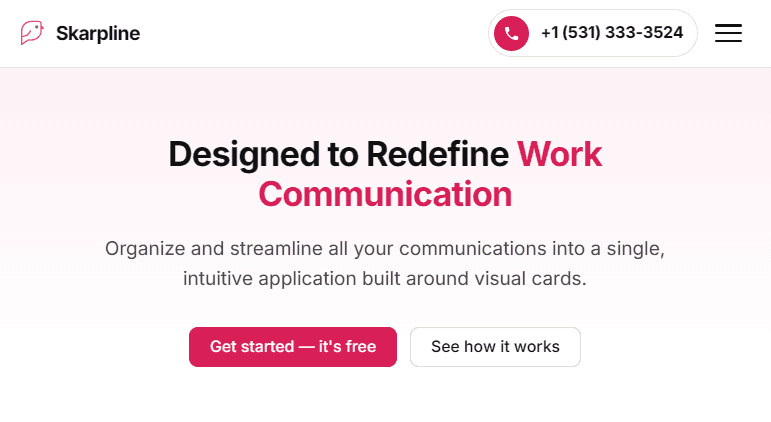
That surprised me, but I usually get enquiries from the UK, and this was overseas. I was still suspicious.
I would have usually binned the email at this stage and moved on with my life. But I thought I might be able to raise awareness about this sort of scam by writing an article, so I decided to keep digging.
Fake people on the About page?
My next step was to check the About page and see if there are photos of real people there. And there were team members listed, but I immediately got AI vibes, particularly from the two near-identical women on the left.
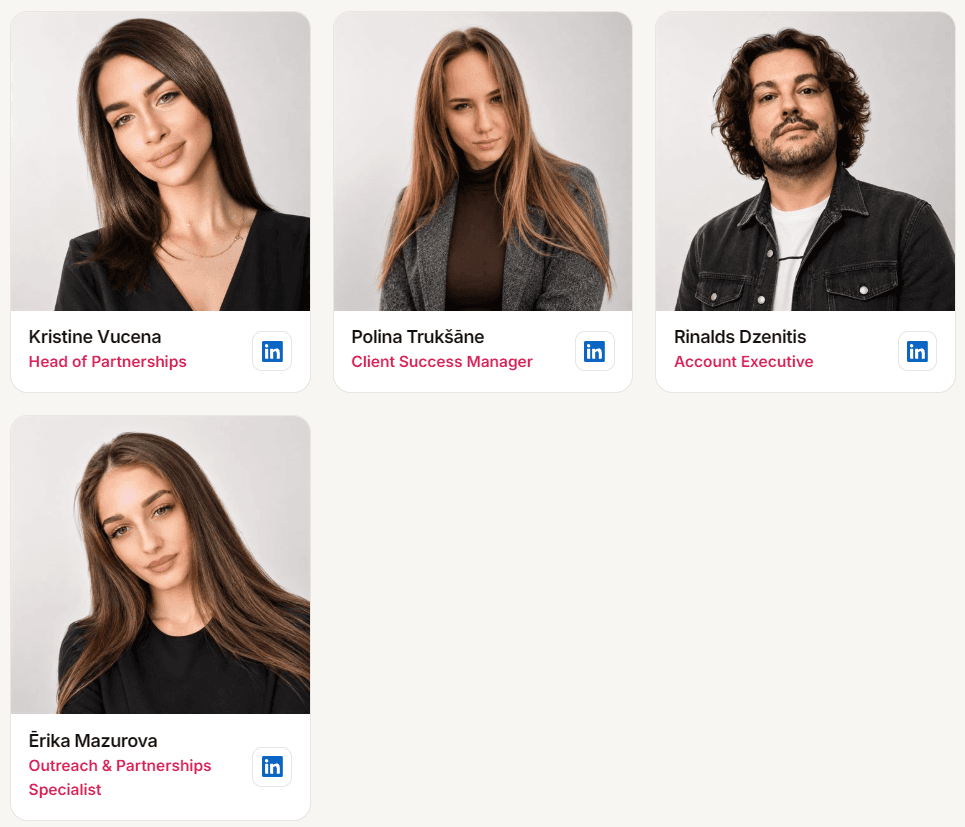
You could probably check the images for AI watermarks / SynthIDs too.
Interestingly, all these “people” have LinkedIn profiles with legitimate-looking work histories. The number of posts and connections is suspiciously low though.

WhoIs data
I then checked the WhoIs data for the domain using the WhoIs lookup tool.
That wasn’t particularly useful in this case. There wasn’t any revealing data on the registrant, and the domain was a couple of years old.
If you check a site and it was only made a few days or weeks ago, that's a clear sign it could be a scam.
Google it
I then searched for “Skarpline scam” on Google and came across a Reddit post about them.
Sources & Further Reading
- Reddit Posthttps://www.reddit.com/r/Scams/comments/1woehlm/canada_skarplinecom_scam_with_google_meet/
It seems I wasn’t the only one to be approached by this “company”. The post, by No-Ratio-7338, mentioned that they tried to get him to sign into a fake Google Meet login screen.
At this point, I felt confident I could string the scammer along whilst not giving up any additional information (as my name and email address are publicly accessible in any case).
Their followup email
I actually called their email out as spam in my initial reply, but they still came back to me.
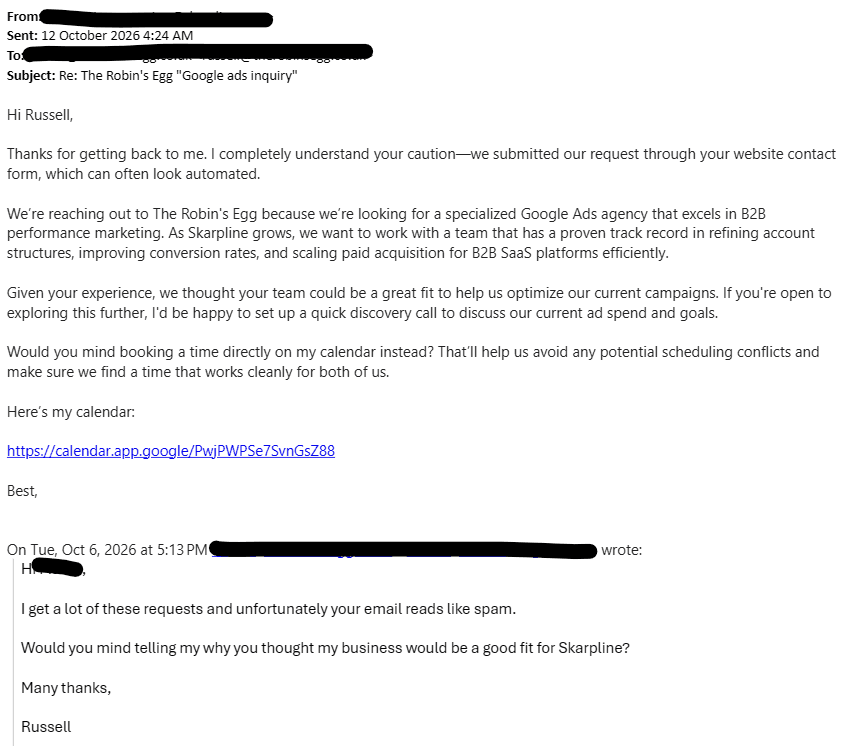
The reply was apologetic and detailed but still vague as hell. The reasons they gave for wanting to work with me were unconvincing at best.
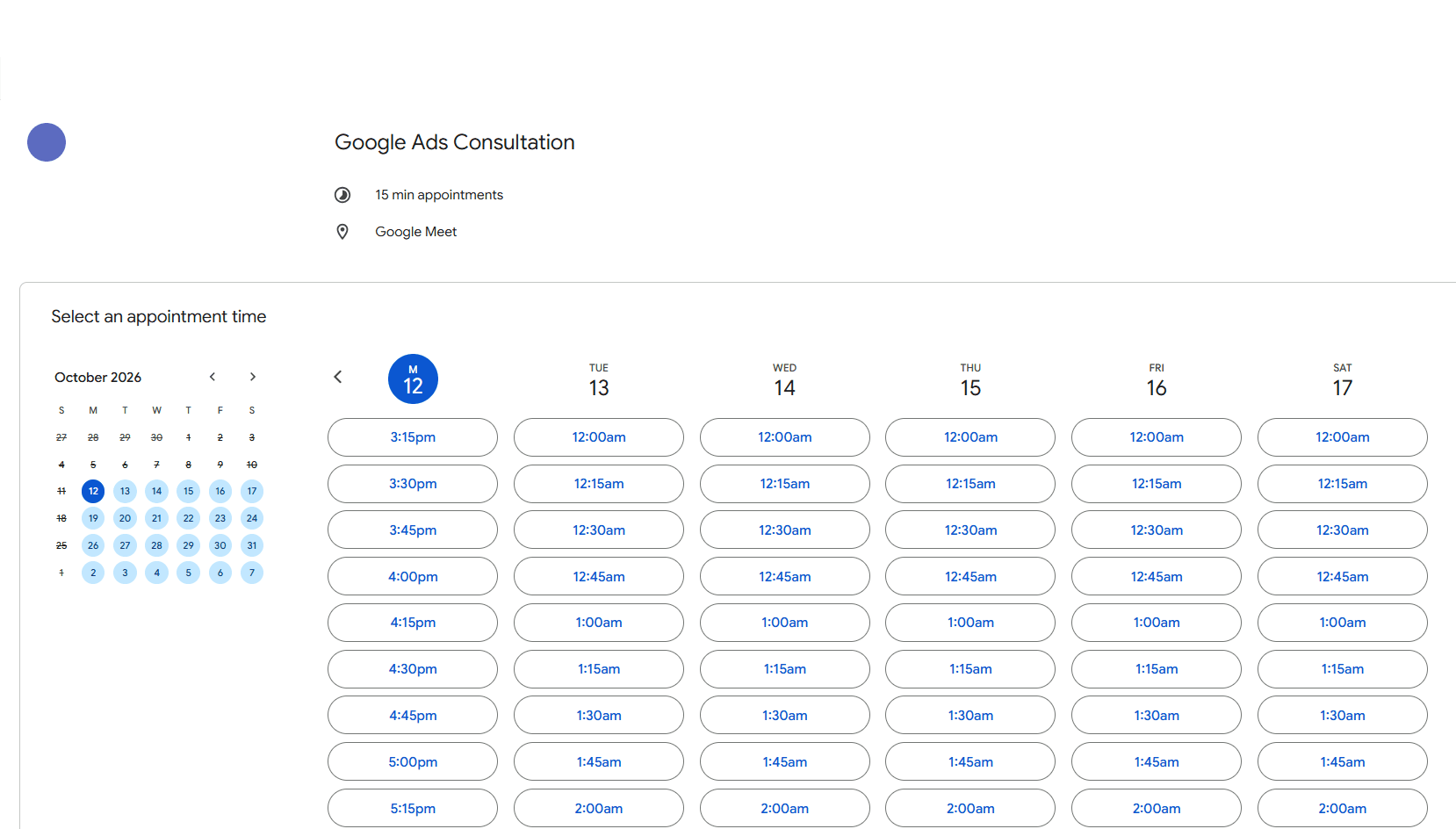
But there it was, a Google Calendar link. Thing is, it was legit: a proper Google Calendar URL and didn’t prompt me to log in at all. I was already logged in to my Google account and was able to book a meeting.
Strange, I thought.
But I booked a call for later that day and decided I would see what happened.
The bait and switch
The time of the meeting came, and I sent another email as I didn’t even have a Google Meet link at this point. The meeting was in my calendar, but it wasn’t booked as a video call.
That’s when they pulled the old "bait and switch".
They apologised for missing the meeting and asked me to rebook. The new email had another Google Calendar link. At first glance, it looked identical to the previous one.
This time though, the link was fake.
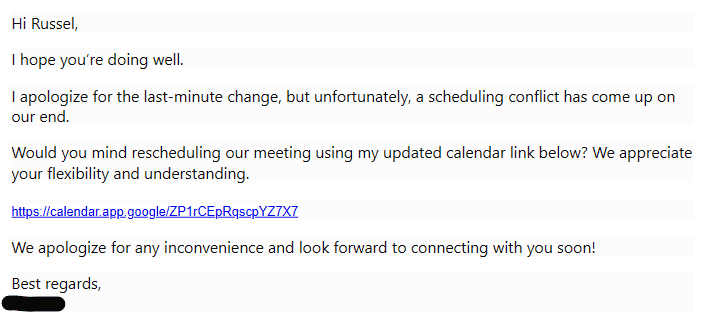
The anchor text was OK, but hovering over the link, I noticed an entirely different domain:
https://calendar-google.co/
This is where the actual phishing attempt would have taken place (and there's also the possibility of malware hiding on that domain).
The best advice is not to click on any links in emails from suspicious third parties at all, even if the anchor text looks OK. And definitely don't open any attachments.
How this differs from other scams
As the founder of an SEM agency, I get a fair number of phishing emails. But they usually have more obvious tell-tale signs. Non-existent domains. Obviously dodgy links.
When you get an email inviting you to access a GoΩgle Ads account, you know something’s up.
This one was just a little more sophisticated. There was a legitimate-looking website that was two-years old. A LinkedIn profile for the person sending the email. An initially-real Google Calendar link.
If they’d taken the time to personalise their communications more, I may never have noticed.
Be vigilant
People working in the SEM industry are pretty tech savvy. But with scams becoming more sophisticated, anyone can get caught out.
A newer freelancer or solo entrepreneur could easily get caught up in the idea of a big new client and not check things thoroughly enough.
There’s no harm in checking every enquiry you get to make sure it’s legit.
Stay safe out there.